Maya Digital Services

Maya Digital Services · mayadigitalservices.com/scorecard

The Local Scorecard: free, no sign-up

A score for how easily nearby customers find you, with your fixes in order

Answer twenty quick questions about your map listing, your reviews, your website and everywhere else customers look, and get a score for each area and a fix list that starts with what moves calls and bookings most.

Map listing–Reviews–Website–Everywhere else–

Overall0 of 20 answeredNot scored yet

Each yes pushes your reach further out in its quarter, toward the dots on the rim: one per question.

Your directions

Every no and not sure becomes a fix: the ones that move calls and bookings most first, the quickest of those before the slow ones.

  1. Answer the questions and your directions start here, with the fix most likely to win you customers soonest at the top.

How the score works

Twenty questions about the places nearby customers find you, in the order we’d put them right: your map listing, your reviews, your website and everywhere else they look. Answer each one yes, no or not sure. Every question carries a weight from 1 to 3 (how much it moves calls and bookings), how long the fix takes, and the fix itself, with the guides that cover it.

Each yes adds its question’s weight to that area’s score; no and not sure add nothing. Not sure counts as no until you’ve checked, and where checking isn’t obvious, the fix says how. An area’s score is the weight of its yeses as a percentage of all the weight in that area, and your overall score does the same across all twenty questions. The fix list puts every no and not sure in order: the highest weight first, then the quickest, then the order on this page, so the fix at the top is the one most likely to win you customers soonest. On paper, tick your yeses, add up their weights in each area and divide by that area’s total. Your answers stay in your browser: nothing is sent to Maya Digital Services or anyone else.

Stop 1 of 4Your map listing5 questions

For a search like “plumber near me” or “nail salon in Dayton”, Google often shows a map and a few business profiles above the websites, and customers call, get directions and read reviews right there.

1Have you claimed and verified your Google Business Profile?
Weight 3 · Takes 10 minutesThe fix

Find your business on Google Maps: if its profile offers “Own this business?” or “Claim this business”, it isn’t yours yet, so claim it at business.google.com and verify it by the method Google offers (a video, a call or text, an email, or a postcard that can take a couple of weeks). The Local SEO guides walk through each step.

2Is your primary category the main thing you want to be found for?
Weight 3 · Takes 10 minutesThe fix

In your profile’s business information, set the primary category to the most specific one that describes the business as a whole (“Plumber”, not “Contractor”), then add secondary categories only for work you actually do; Google allows nine. Google uses your categories to decide which searches you’re relevant to, and the Local SEO guides show how to choose them.

3Are your phone number, hours and address or service area all correct on the profile today?
Weight 2 · Takes 10 minutesThe fix

Look at your profile on a phone as a customer would, call the number on it, and correct anything out of date; add special hours before every holiday so nobody drives to a locked door. If you go to your customers, hide the street address and list your service area instead (Local SEO).

4Does your profile list every service you want calls for?
Weight 2 · Takes 20 minutesThe fix

Add each one in your profile’s Services or Products section with a line on what it includes, and use the 750-character business description to say what you do and where, in the words your customers use. The Local SEO guides show what to write.

5Have you added new photos of your work, your place or your team in the last three months?
Weight 1 · Takes 15 minutesThe fix

Take a few on your phone (the outside or your van, so people recognize it, the inside, the work and the people who do it) and upload them to your profile; real photos, not stock. Local SEO covers what to shoot.

Stop 2 of 4Your reviews5 questions

Your star rating and review count sit beside your name in the map results, and recent reviews are often what a customer reads before choosing who to call.

6Do you ask every customer for a review, right after the job is done?
Weight 3 · Takes 30 minutesThe fix

Copy your review link from your Business Profile (select “Read Reviews”, then “Get more reviews”), save it in a short text you can send in seconds, and ask everyone the same way on the day of the job; setting it up takes half an hour and each ask a minute. The Reviews guides have wording to adapt.

7Has a new Google review come in during the last month?
Weight 2 · Takes 10 minutesThe fix

Sort your reviews by Newest to see. If the last one is more than a month old, the asking has stopped somewhere: build it into a routine, such as a line on the receipt or a text sent with the invoice, so it happens without anyone remembering (Reviews).

8Do you reply to every review, good and bad, within a few days?
Weight 2 · Takes 5 minutesThe fix

Reply from your Business Profile: thank people for the specifics they mention, and answer a bad review once, calmly, with what you’ll do about it; if a review is fake or breaks Google’s rules, report it from the same screen. The Reviews guides have replies to adapt.

9Do you ask for reviews without offering anything in return?
Weight 2 · Takes 5 minutesThe fix

Google’s rules forbid offering anything for a review and asking only the customers you expect to be happy, and the FTC’s rule on fake reviews, in force since October 2024, bans fake reviews and any reward that depends on a review being positive. Drop any discount, gift or prize draw tied to a review and send the same request to every customer (Reviews).

10Have you claimed your page on the other review site your customers use, such as Yelp or Angi?
Weight 1 · Takes 30 minutesThe fix

Claim it so you can correct your details and reply to reviews there (on Yelp, a page you haven’t claimed says “Unclaimed” by the name). Don’t ask for reviews on Yelp, whose rules forbid it, though telling customers you’re on Yelp is fine; the Reviews guides cover which sites matter for which kinds of business.

Stop 3 of 4Your website5 questions

Many customers tap through from your listing to see your work, check what you charge and decide, often on a phone, and your site’s job is to turn that visit into a call or a booking.

11Can a customer call or book you with one tap from the top of your homepage on a phone?
Weight 3 · Takes 30 minutesThe fix

Open your site on your phone: your number as a tap-to-call link, or a Book button, should be on the first screen without scrolling or opening a menu. Every website builder can add one, and the Websites guides show where.

12Does the top of your homepage say what you do and where, in plain words?
Weight 2 · Takes an hourThe fix

Replace any slogan with one line a stranger understands at a glance, such as “Roof repair and replacement in Tulsa and nearby towns”, with your town or service area in it. Websites covers homepages that get calls.

13Does your homepage load in about three seconds or less on a phone?
Weight 2 · Takes an afternoonThe fix

Test it with Google’s free PageSpeed Insights, which loads the page the way a phone on a slower mobile connection would. Oversized photos and add-ons you no longer use are the usual causes, so compress the images and remove what you don’t need (Websites).

14Does each main service you offer have its own page on your site?
Weight 2 · Takes an afternoonThe fix

Give each service you want more of a page that says what it is, where you do it, roughly what it costs and how to book, and link to it from your homepage. The Websites guides list the pages a local business needs.

15Have you tested how customers contact or book you through your website in the last month?
Weight 2 · Takes 10 minutesThe fix

On your phone, send yourself a message through the form or make a booking through the booking link, and check that it arrives, spam folder included; forms and booking links break quietly when an email address, plugin or plan changes. Websites covers forms and booking.

Stop 4 of 4Everywhere else customers look5 questions

Customers also find you on Apple Maps and Bing, in directories and on social media, and come back through their inbox; every place that shows an old number or a dead page sends someone elsewhere.

16Are your business name, address and phone number written the same way everywhere they appear?
Weight 2 · Takes an afternoonThe fix

Search for your business name and your phone number, list every site that shows them (Yelp, Facebook, Apple Maps, Bing, industry directories, your chamber of commerce) and correct the ones that are out of date, starting with any old number or address. The Local SEO guides cover these listings, called citations.

17Have you claimed your business on Apple Maps and Bing?
Weight 2 · Takes 30 minutesThe fix

If you’ve never signed in to Apple Business (called Apple Business Connect before April 2026) or Bing Places, you haven’t. Claim your location on Apple Maps with Apple Business, free from Apple (Apple Maps is the default map on iPhones), and your listing on Bing Places, which can import your Google profile (Local SEO).

18Would someone checking your Facebook or Instagram see that you’re open and how to reach you?
Weight 1 · Takes 20 minutesThe fix

Update the profile’s hours, phone number and website link, and post something real every few weeks (a finished job, a new product, a slot that opened up); one account kept current beats four left to go stale. Social Media covers which platform suits your business.

19Do you collect customers’ email addresses or phone numbers, with permission to contact them again?
Weight 2 · Takes 30 minutesThe fix

Ask at checkout, at booking or on your website, with a tick box that says what you’ll send. In the US, marketing texts need the customer’s express written consent first, so ask for texts on a line of their own (Email & SMS).

20Have you emailed or texted past customers in the last three months?
Weight 1 · Takes an hourThe fix

Send one short, useful message, such as a seasonal reminder, a slot that opened up or a thank-you with a reason to come back; one a month or one a season keeps you remembered without wearing out your welcome. See Email & SMS.

How it works

  1. Answer twenty questions

    Five each on your map listing, your reviews, your website and everywhere else customers look, answered yes, no or not sure. You know most of the answers already; where you might not, the fix says how to check.

  2. Get your scores

    A score for each area and one for the whole business, worked out in your browser as you answer. There’s nothing to sign up for, and your answers aren’t sent anywhere.

  3. Fix the top of the list

    Every no comes back as a fix, the ones that move calls and bookings most first and the quickest next. Make one fix this week, then score again.
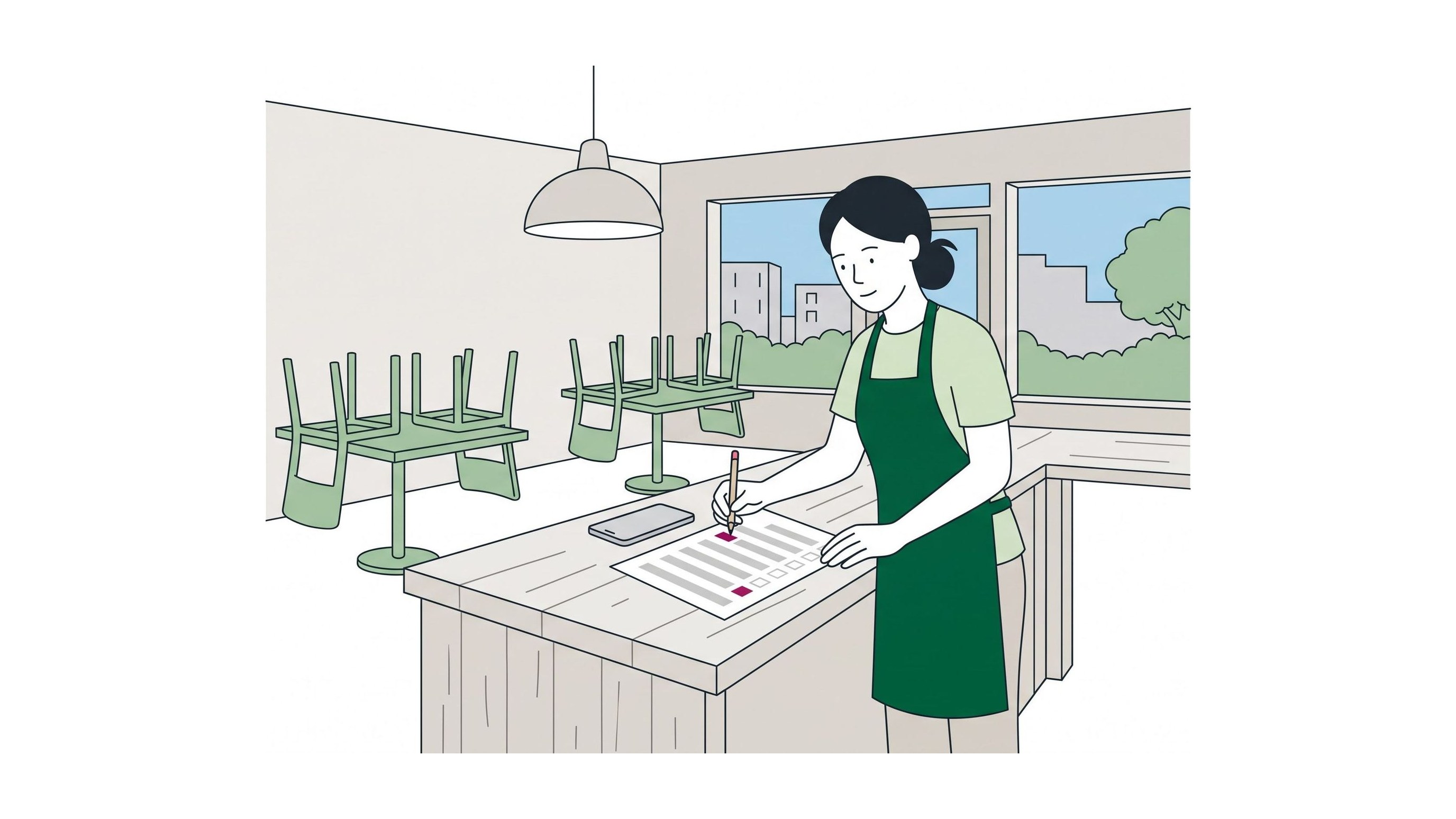
A café owner at her counter after closing, chairs up on the tables behind her, ticking a printed checklist with a pencil, her phone face up beside it

What your result gives you

  • A score for each area

    See whether it’s the listing, the reviews, the website or the rest that lets nearby customers pass you by: a percentage for each area and one for the whole business.

  • Your fixes in order

    The fixes that move calls and bookings most come first, the quickest of those before the slow ones, and each one says how long it takes, from five minutes to an afternoon.

  • A guide behind every fix

    Each fix says what to do in a sentence or two and links the guides that cover it, from Local SEO to Email & SMS, written for owners doing it themselves.

  • A checklist you can print

    Print the twenty questions with their fixes and work through them with a pen, or hand them to whoever helps with your marketing. Score again in a few months to see what’s changed.

Questions owners ask

Is the Local Scorecard free?

Yes. There’s nothing to sign up for, download or pay, and nothing is sold on this page: no email or account is asked of you before your result. The fixes link to our guides, and where a fix needs software, the Tools page lists options. Some of its links may earn Maya Digital Services a commission at no cost to you; that never decides what the Scorecard asks.

How long does it take?

A few minutes. Most of the questions you can answer from memory, and the rest by looking at your profile or your website on your phone. The fixes take longer, and each one says how long: from five minutes to an afternoon.

Why does the map listing come first?

Because it’s often the first thing a nearby customer sees. For a search like “electrician near me” or “bakery in Sacramento”, Google often shows a map and a few business profiles above the websites, and a customer can call you, get directions or read your reviews from the profile without ever opening your site. It’s also free, and most of it can be put right in an afternoon. Reviews come next because they sit on that same profile, and the website after that, because it’s where customers go when they want to know more.

I don’t have a storefront. Does it still work?

Yes. If you go to your customers (plumbers, cleaners, mobile groomers and most trades do), answer for your service area wherever a question mentions your address. Google lets a business that serves customers at their location hide its street address and list the towns or ZIP codes it covers instead. Don’t use a virtual office or a mailbox address to look local: Google’s guidelines don’t allow it, and listings get suspended for it.

How often should I score again?

Every three months or so, and whenever something changes: a new phone number, new hours, a move, a new website or a new service. Those are the moments listings and directories drift out of date. A quiet month is a good reason too.

Will a perfect score put me at the top of the map?

No one can promise that, and we won’t. Google says its local results are mainly based on relevance (how well your profile matches the search), distance and popularity, which its help page explains under prominence: how well known the business is, judged partly by your reviews and the websites that link to you. You can work on relevance and prominence; how far you are from the person searching is out of your hands. What a better score does is make sure that when customers find you, nothing sends them to someone else.

Why is social media only one question, and ads not in it at all?

Because the Scorecard checks the basics every other kind of marketing leans on. Ads and posts send people to your listing and your website, so if the hours are wrong or the phone number isn’t one tap away, you’re paying, in money or in evenings, to send customers somewhere else. Once your scores are high, the Social Media and Paid Ads guides are the next step.

Who wrote the questions?

The site’s editors, from Google’s Business Profile guidelines, the review sites’ own rules, the FTC’s rule on fake reviews and established local SEO practice. The weights are our judgment of what moves calls and bookings most, not a measurement, and we revise the questions as Google and the review sites change their rules. Maya Digital Services isn’t affiliated with Google, Apple, Yelp or any platform the Scorecard names.

Do my answers go anywhere?

No. The Scorecard works out your scores in your browser, and your answers aren’t sent to Maya Digital Services or anyone else. Your browser can keep them on this device so your last result is waiting when you come back; Start over clears them.

Can you do the fixes for me?

Not yet. Maya Digital Services doesn’t take on clients: the guides show how to make each fix yourself, and the Tools page lists software that helps. If you hire someone, the printed checklist makes a good brief: ask which of your no’s they’ll fix, how, and how long each one will take.

I’m not in the US. Does it still work?

Mostly. The map listing, website and review questions work wherever customers use Google Maps. A few fixes name US sites and rules, such as Yelp and Angi, the FTC’s rule on fake reviews and the consent US law requires before marketing texts; outside the US, check your own country’s rules on reviews and on texting customers before you act on those.

Know what to fix first

Twenty questions, a few minutes, and a fix list that starts with what matters most for calls and bookings.

Score your business