Website Has Expired: What Happens and How to Recover
If your website has expired, find the domain stage, restore your site and email, and learn how to renew or recover it before another outage.

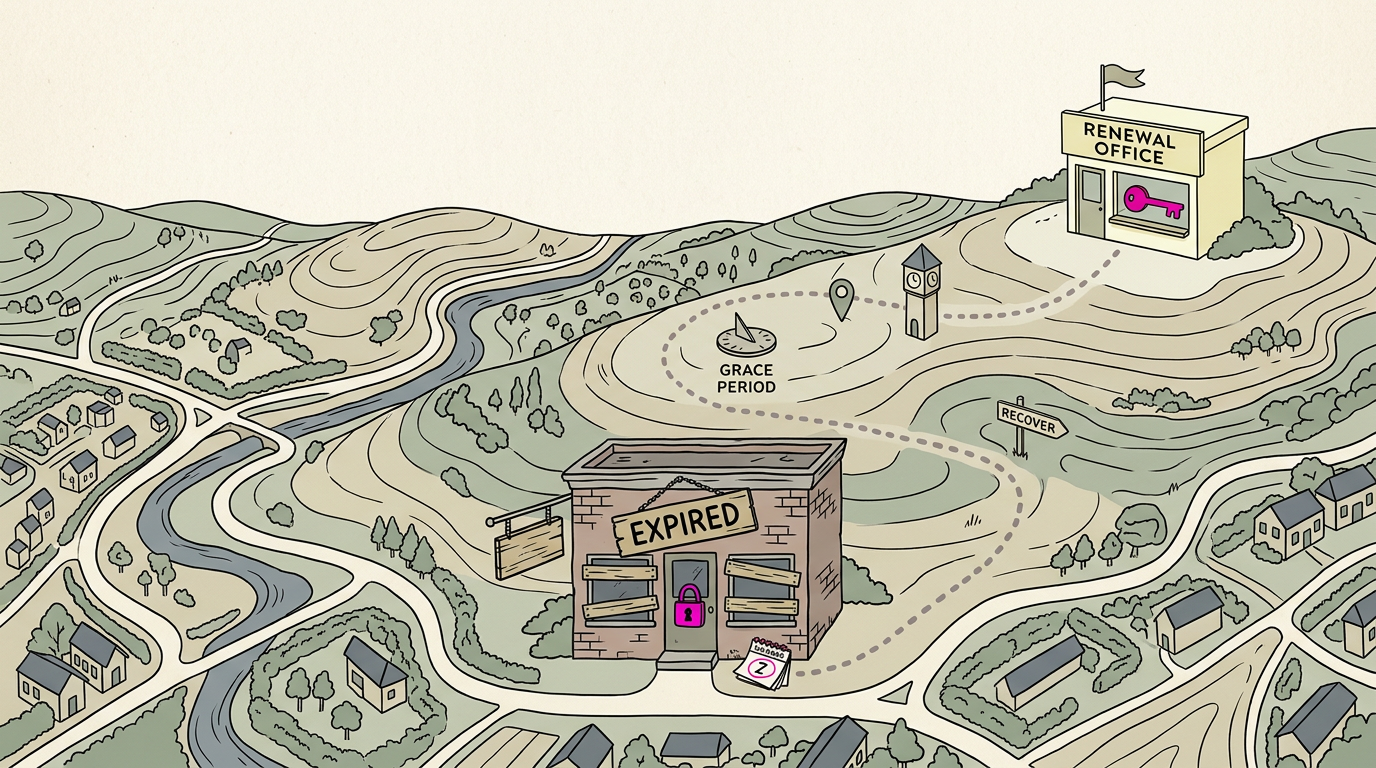
When a website has expired, its domain registration or related hosting or website plan has lapsed, so the site may show an error and email may stop working. Renew through the registrar as soon as possible: early renewal is usually simplest, while later recovery can cost extra or become impossible once the name is released. Check the expiry date, keep account and payment details current, and enable auto-renewal to reduce the risk of lost customers and communication.
Picture a customer searching for your business from the parking lot, tapping your site, and getting an error page. That can happen when your domain, the web address people type, expires.
An expired domain can take your site offline, stall your email, and leave your map listing pointing nowhere. The good news is that most of it is avoidable, and there’s a clear path back if you act quickly.
We’ll cover what expiry means, the stages that follow, how to check your dates, how to renew or recover, and how to stop it recurring.
What Happens When a Website Has Expired
An expired site goes dark fast, and the damage shows up in your phone and inbox first. It might be the domain, or the hosting or website builder plan, that lapsed.
Site and email stop working right away
When a domain expires, the website usually stops right away. Visitors see an error or a parked notice. Often, the Domain Name System (DNS), which points the internet to your site and email, is switched off too.
- Email. Messages to your address bounce or vanish.
- Changes. You can’t edit the site until it’s renewed.
- Missed calls and emails. Customers who try to reach you through the site hit a dead end.
Picture a family bakery whose domain lapses on a Friday. Its order link goes dead, its orders inbox bounces, and customers simply move on.
If your Secure Sockets Layer (SSL) certificate, the file behind the padlock icon, expires too, visitors may get a browser warning instead of your page.
If an expired domain keeps your site unavailable, that downtime can hurt your search visibility.
A research paper on web graph similarity notes that when a crawler (the program search engines use to read pages) misses a significant number of important pages, search results are frequently incomplete. The longer you’re down, the more you risk.
Why expired doesn’t mean permanently gone
An expired domain isn’t necessarily deleted. Think of it as paused, not erased:
- Grace period. You can still renew the domain.
- Redemption period. After the grace period, you may still be able to restore it.
- Leased, not owned. You lease a domain name, so it stays yours only while renewals continue.
Acting early keeps downtime short. Log in to your registrar (the company where you bought the name), check the renewal date, and set a reminder. Do it today.
Why Domains Lapse in the First Place
Your domain, the web address customers type in, rarely lapses overnight. The causes are slips you can prevent and situations outside your hands.
Why rules prevent hoarding and ensure fairness
The Internet Corporation for Assigned Names and Numbers (ICANN) sets the rules that registrars (the companies you buy domains from) follow.
Those rules block domain hoarding, or holding names you never use, and keep names open to businesses that want them, not just whoever clicks first. Unpaid names don’t stay yours forever.
Mistakes owners make that let domains lapse
Each is a small slip, not a crisis. Watch for these:
- Missed renewal emails: the reminder lands in spam or in an inbox nobody checks.
- Auto-renewal disabled: a setting got switched off, and nobody noticed.
- Expired payment card: the card on file no longer works, so the renewal charge fails.
- Outdated billing info: the contact on file belongs to someone who left, so warnings go nowhere.
Consider a bakery owner who gets a new credit card and never updates the domain account. The renewal fails, and the warning goes to an old inbox.
Custom cake orders stop, and the phone fills with customers asking why the site is down. One quick check would have caught it.

Problems the owner can’t control
Not every lapse traces back to you. A registrar can make a technical error or change its policies in ways that affect your account. A domain hold is a block, often tied to billing or a legal question, that can take your site offline until it’s cleared.
A legal dispute or violation can also stop a domain from being used until it’s sorted out. Your job shifts from preventing these to catching them fast: keep your contact details current so the registrar can reach you.
The Stages After a Domain Expires
What happens if the renewal date passes without payment? We’ll walk through the stages in order, because each one changes what you pay and how much control you have.
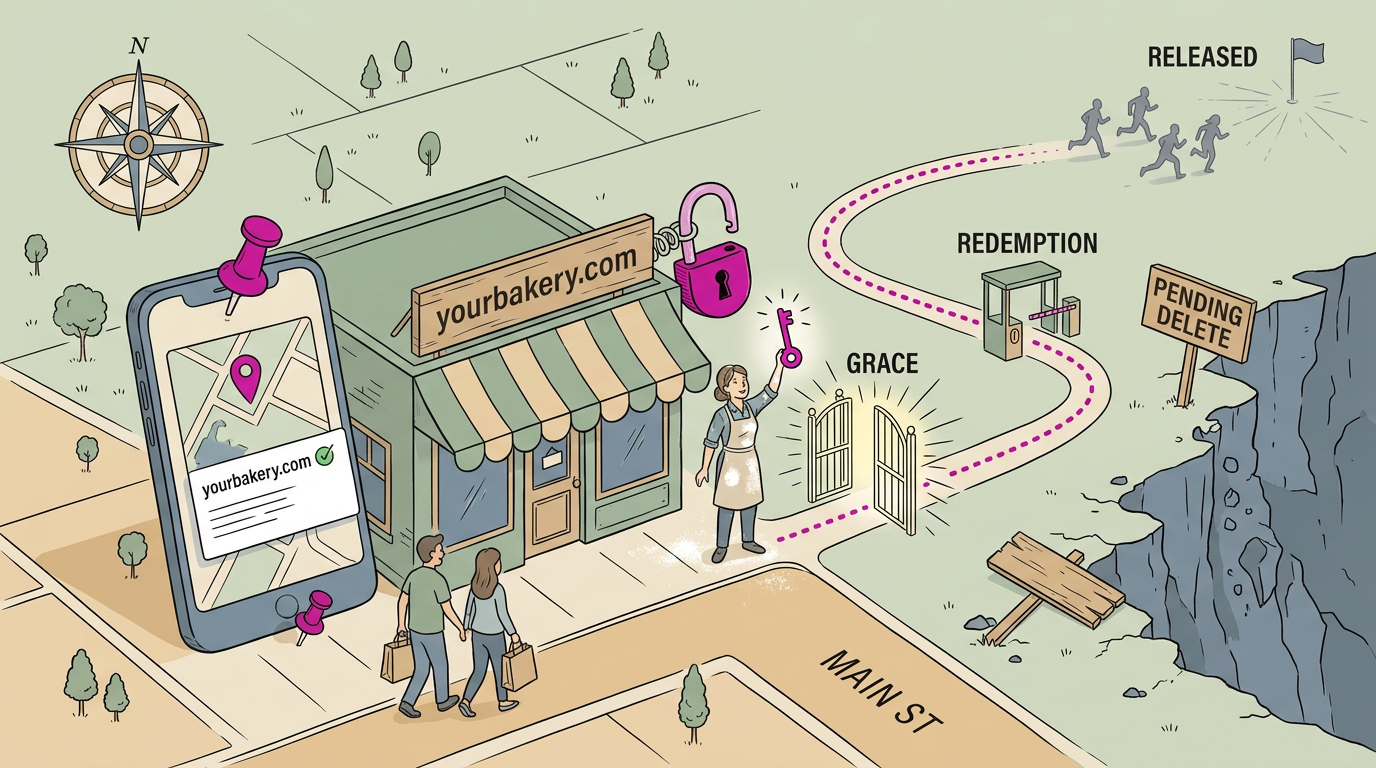
The grace period lasts up to 45 days
According to the registrant guide from the Internet Corporation for Assigned Names and Numbers (ICANN), your registrar may offer a grace period after expiration, and it can last up to 45 days.
The registrar sets the exact length, so check your account rather than guessing.
You can renew at the standard price during this window, but your registrar may also auction the name. You’re paying to keep the name, not to win it back.
Picture a bakery owner whose renewal reminder lands in a spam folder. She finds out a week after expiration, but her registrar still offers a grace period.
She logs in, pays the standard renewal, and keeps her name with no bidding war. Acting now is the easy fix.
The 30-day redemption window and its fee
If the grace period ends without a renewal, the domain enters a redemption period: a 30-day window in which the name can still be restored.
Under ICANN’s Expired Registration Recovery Policy, registries (the organizations that run each extension) must offer a 30-day redemption grace period for eligible expired domains.
Restoring isn’t free. The restore carries an extra redemption fee and includes a one-year renewal, so budget for both.
Pending delete and when names go public
When the redemption window closes, the domain enters a five-day pending delete stage, and no recovery is possible from there. Once those five days pass, the name is released on a first-come, first-served basis.
Anyone can register it, and drop-catching services (companies that automatically grab names the moment they’re released) are built for exactly that. Then it’s anyone’s.
Exceptions for certain domain extensions
The stages above apply to generic top-level domains (gTLDs), the extensions ICANN oversees. Country-code extensions (ccTLDs, the two-letter endings tied to a specific country) follow their own rules, so ask your registrar how yours is handled.
Set a renewal reminder today, and these stages stay a reference, not an emergency.
How to Check Expiry Dates and Notices
Before you renew anything, you need to know when it’s due and where to find that date.
Where to find the expiry date
Three places to look:
- Registrar account login. Sign in to the company where you bought your domain, your registrar. The expiry date is usually listed with each domain.
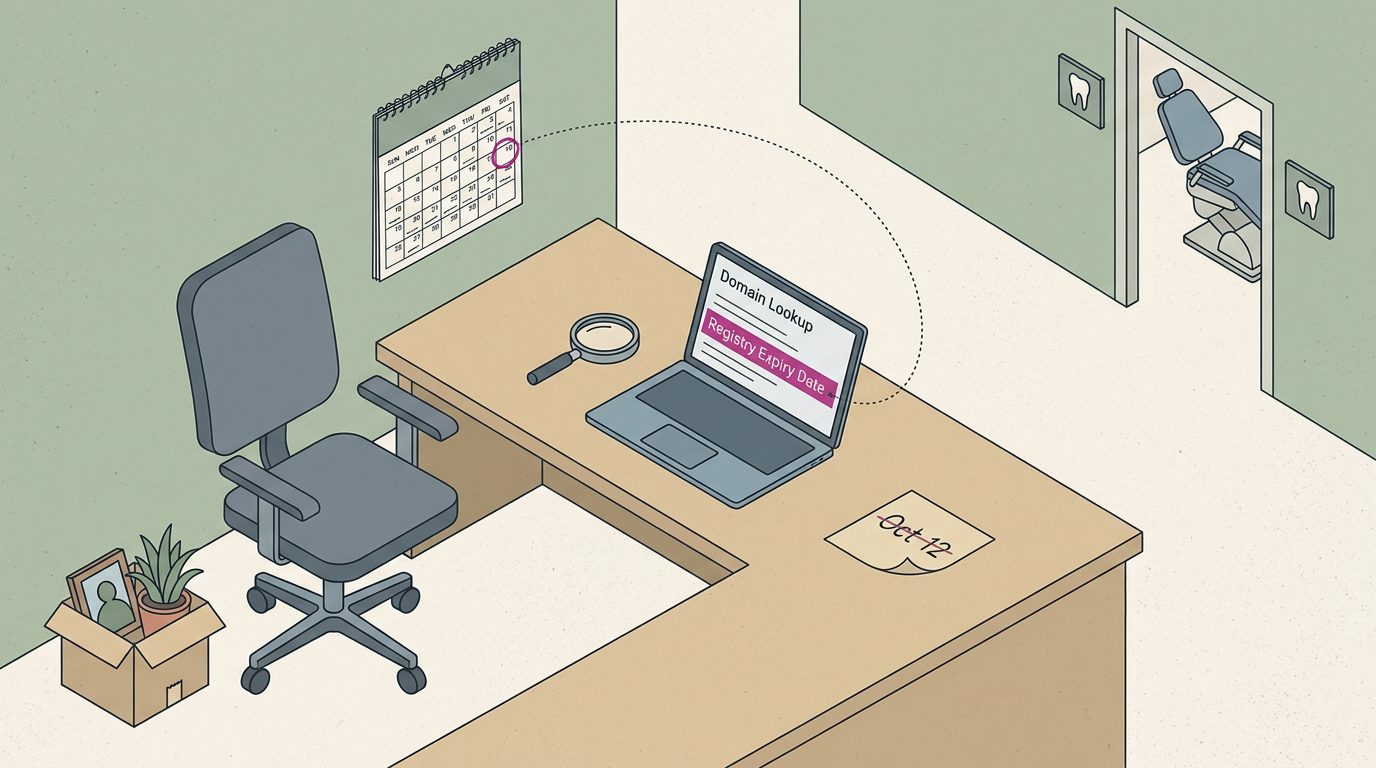
- WHOIS lookup steps. WHOIS is a public directory of domain registration details. Enter your domain into any WHOIS lookup tool and scroll to the dates.
- Registry Expiry Date field. Look for this label in the WHOIS results. The registry runs your domain’s extension, like .com, so its date is the one that counts.
Think of a dental office whose domain was bought by a front-desk manager who has since left. A quick lookup shows the date in time to renew, before the site goes dark during a busy week. Trust the record, not the date you remember.
Registration terms and when you get reminders
- 1–10 year terms. Domains are registered for one to ten years, so an old name can easily slip off your radar.
- Two reminders before expiry. These give you time to renew calmly, so act on the first one.
- One reminder after expiry. It arrives once the date has passed, so treat it as a backup, not a plan.
- Keep contact info current. Reminders only help if they reach someone who reads them, so use a shared office inbox and an up-to-date phone number.
Consider a plumbing shop whose reminders went to the owner’s old personal email. Switching to the shared office inbox takes minutes, and the next notice reaches someone who can act on it.
Check yours this week.
Renewing and Recovering an Expired Domain
Renewing early is the easiest way to keep your website live. If yours has already lapsed, the steps depend on how long it’s been.
Renew early through your registrar account
Your registrar is the company where you bought your domain name, and it’s the only place you need to go. Here’s the routine:
- Log into your registrar account.
- Select the domain and the renewal term you want.
- Confirm payment.
- Turn on auto-renewal, so the next deadline never catches you off guard.
How do I open an expired website?
Once a domain expires, visitors usually see an error or placeholder page instead of your site, so the way back is to renew it. Your options depend on the stage:
- Grace period. You can renew at the standard price.
- Redemption period. The domain can still be recovered, but expect an added fee.
- Pending delete. This stage is unrecoverable, so there’s nothing left to renew.
- Re-register after release. Once the name is released, anyone can register it, you included, but there’s no guarantee you’ll get it back.
Renew in the grace period and you’re keeping your name. Wait too long and you’re competing for it. Act early.
Once your domain is back, recheck the website link on your map listing. It should point to your live site, not an error page.
Consider a bakery owner whose domain lapses over a holiday weekend. Her map listing still links to the dead page, so customers hunting for seasonal orders hit an error instead.
Renewing at the standard price during the grace period, then fixing that link, keeps those orders coming in.
How to Keep a Domain from Expiring
An expired domain usually traces back to a missed email or an old card. A few habits prevent both.
Habits that keep your domain active
- Enable auto-renewal. Turn it on so your provider renews the domain before the date arrives.
- Check email regularly. Renewal reminders go to the registrant’s inbox, so check there and in spam.
- Update billing information. Auto-renewal only works if the card on file is good, so update it whenever a card changes.
- Check expiration date regularly. Log in every few months and confirm the date.
- Consolidate domains with one provider. One account means one login, one billing page, and one renewal list.
- Register domain in your name. Put the domain under the owner’s name and contact details, not a web developer’s, so you stay in control.
Think of a bakery whose online orders run through a domain its freelance developer registered under his own name. When he stops answering emails, renewal notices go nowhere and the orders go dark. That’s a costly silence.
Auto-renewal handles the timing, but you still need to own the account.
Paid protection add-ons and expert advice
Some providers sell add-ons that back up the basics:
- Domain Expiration Protection add-on. A paid safety net against a lapse. Check its price and terms before you buy.
- Renews if card fails. Some plans renew your domain even when the card on file is declined. Confirm it’s included first.
- Domain privacy add-on. This keeps your personal contact details out of the public registration record, which helps if you work from home.
No single safeguard covers every failure, so stack them. Auto-renewal, a current card, a checked inbox, and an add-on each guard against a different problem. Layers beat luck.
Common Questions About Expired Domains
Once a domain lapses, you’ll ask two things: can you get it back, and can anyone else take it?
Buying a domain after it expires
- Registrar auctions. Some expired names are sold at auction through the registrar, the company where the domain was registered.
- Released after pending delete. Pending delete is the final holding period. Once a name is released, anyone can register it, including you.
Backlinks, links from other sites pointing to yours, can help or hurt. Before you buy, check a domain’s history, since a name used for spam may carry links you don’t want. The question isn’t just whether you can get it. It’s what comes with it.
Expect competition, too. Other buyers may be watching the same name, so bidding or a race to register it can start the moment it’s free.
What expired, redemption, and deleted mean
A domain moves through stages, and the rules shift at each one:
- Expired. Your registration has passed its end date, but the name is still yours to renew.
- Redemption. The registrar still holds the name, and you can often recover it, though recovery usually costs more and takes extra steps.
- Deleted. The name is released and gone from your account.
Acting early means recovering your name, not rebuying it.
Once a domain is deleted, its owner can’t recover it. Think of a dental office that misses its renewal notice.
When someone else registers the name, the front desk can’t simply click renew, and calls and booking emails stop reaching the office. Renew early.
Registrants, the people or businesses that hold a domain, can also request termination through their registrar. That’s a deliberate choice, so confirm it’s what you want before you ask.
Expiry is a calendar problem before it’s anything else, and it can quietly cost you calls, emails, and customers who were trying to reach you.
Keep the renewal date on your calendar, make sure the notices reach more than one person, and treat it like rent: paid on time, every year.
Renew it on time, and your front door stays open for every customer who’s ready to call.
References
Questions
How do I open an expired website?
To open an expired website, renew its domain through the registrar where it was registered. During the grace period, renewal is usually available at the standard price; during redemption, recovery may cost extra. If the domain is pending delete, it cannot be recovered at that stage, and after release anyone may register it.
How do I renew my website?
Log in to your domain registrar, select the expired domain, choose a renewal term, and confirm payment. If it has entered the redemption period, you may need to pay an additional restore fee. Once renewed, enable auto-renewal and check that your website and map listing point to the live site.
What does it mean if a website has expired?
A website may appear expired because its domain registration, hosting plan, or website-builder plan has lapsed. When a domain expires, the site usually stops working, and email using that domain may also fail. The domain may still be renewable or recoverable for a limited time, depending on its stage.
What should I do if my website domain has expired?
Log in to the registrar where the domain was purchased and check its status. Renew it during the grace period at the standard price, or ask the registrar about restoring it during the redemption period, when an extra fee may apply. If it is pending delete, recovery is no longer possible at that stage; after release, you can try to register it again, but someone else may get it first.
Sources
- 5 Things every Domain Name Registrant should know about ICANN's Expired Registration Recovery Policy (ERRP) - ICANN, icann.org
- Expired Registration Recovery Policy, icann.org
- FAQs for Registrants: Domain Name Renewals and Expiration - ICANN, icann.org
- Web graph similarity for anomaly detection, doi.org,