Green Website Guide: How to Build a Fast, Low-Carbon Site
A green website loads quickly and uses less energy. Check its carbon footprint, choose low-carbon hosting, and turn faster visits into more calls.

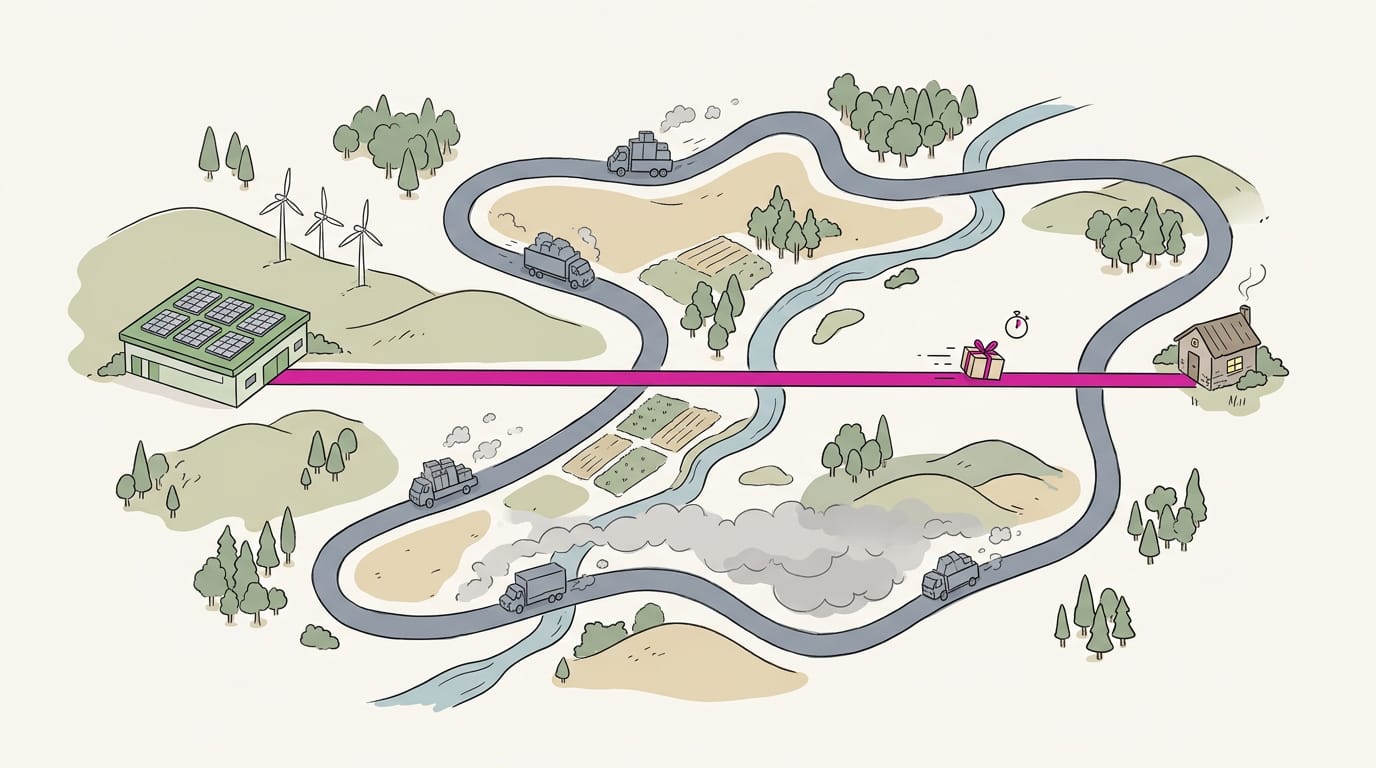
A green website is a site that uses less energy through lightweight, fast-loading pages and hosting powered by cleaner energy. Keep pages simple by compressing images, removing unused code, limiting heavy effects, and checking your host’s energy claims; measure performance and emissions over time, and use offsets only for emissions you cannot avoid. These choices can reduce a site’s footprint while making it easier for visitors to find information and take action.
Picture someone searching for a plumber from the driver’s seat, with a leak under the sink. If your site takes forever to load, they’ll tap the next result before yours appears. That’s where a green website comes in.
The phrase means two things. A green website has a clean, lightweight design that loads quickly and uses less energy, and it’s hosted on servers that run on low-carbon power.
Here’s how to build or check one, and why a plain, fast site also helps you get found and win calls.
The Internet’s Footprint Behind a Green Website
Before you build a greener website, it helps to know the internet’s carbon footprint and where its emissions come from.
How much carbon the internet really emits
According to a study on the environmental impact of information technology, devices, the internet they use, and related infrastructure accounted for about 3.7% of global greenhouse emissions in 2019. Estimates differ.
The Institute of Internet Economics puts the tech sector’s share at 2% to 3%, a range it calls roughly comparable to aviation. Each visit to a website adds about 1.76g of carbon dioxide (CO2).
Where website emissions come from
A website’s emissions come from four main places:
- Data centers. Servers that store and deliver your pages run around the clock and draw plenty of power.
- User devices. Every phone and laptop that loads your site uses electricity too.
- Network transmission. Data travels through cables and cell towers to reach each visitor.
- Non-renewable energy reliance. If that power comes from non-renewable sources, the footprint grows.
It’s less about whether a site uses energy and more about where that energy comes from.
What makes a site low-carbon and efficient
A low-carbon website does its job with as little energy as possible. Cutting online environmental impact starts with lighter pages, fewer heavy files, and hosting that runs on renewable energy.
Across many sites, that’s how you get an energy-efficient, sustainable internet.
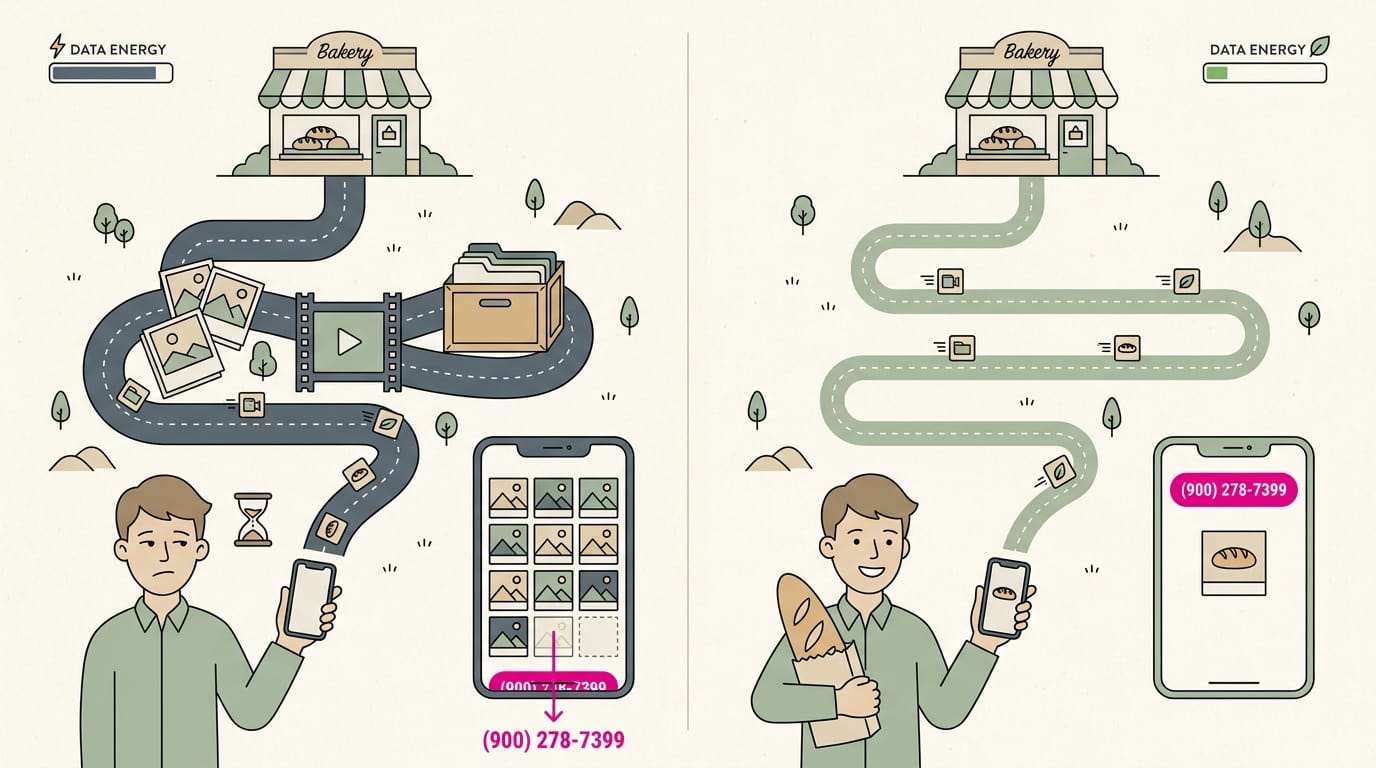
Picture a bakery whose home page loads a huge photo gallery and a background video. On a slow phone, the customer waits, and the phone number sits far down the screen. A layout like that is one of the costly signs of bad website design.
Compress the photos and drop the video, and the page loads faster, uses less data, and the phone number is the first thing a customer sees.
Less data, less energy.
Building a Sustainable Site That Lasts
A green website means two things: a design with green colors and a clean, simple layout, and a site hosted on low-carbon servers run sustainably.
Below, we’ll walk you through building or checking one, and why a lean site helps local customers find and call you.
Choosing a green web host
Your host stores your site, so look for one that runs on clean power, not just one that claims it. Check for these three:
- Renewable energy hosts run their servers on power from sources like wind or solar.
- Carbon offset programs fund projects that cut emissions elsewhere to balance what the host still uses.
- Efficient data centers waste as little energy as possible.
GreenGeeks, A2 Hosting, and Kualo belong on your shortlist, but check their claims yourself. If you’re using a website builder, pick one with green hosting included.
Verify the claims. Before you pay, ask which energy the host really uses and whether its offsets are independently verified.
Designing for speed and lighter pages
According to an overview of web application performance optimization techniques, compressing images and reducing JavaScript are practical ways to improve website performance.
- Compress images and use WebP. Shrink photos before uploading and save them as WebP, a modern image format built for the web.
- Lazy loading. Images lower on the page load only when visitors scroll to them.
- Reduce JavaScript. JavaScript is the code that makes pages interactive, and extra scripts mean more for phones to download.
- Mobile-first design. Build for the smallest screen first, since many customers will find you on their phones.
- Clean, simple code. Fewer plugins and tidy code leave less to slow things down.
Picture a plumber whose homepage has huge photos that crawl on a weak cell signal. Compress them and lazy load the rest, and the phone number appears right away, so a customer with a burst pipe calls before moving on. Speed wins the call.
Fast pages also help local search, since slow ones send people back to the results.
Cutting digital waste from your site
Digital waste is the files and code a site carries but never uses.
- Audit regularly. Review pages, images, and tools on a set schedule.
- Remove unused files and code. Delete old images, retired pages, and dead plugins.
- Use caching. Caching saves a copy of your pages, so returning visitors download less.
- Future-proof designs. Stick with standard, widely supported tools so you’re not rebuilding every few years.
On one dentist’s site, removing a forgotten plugin trims every visit, so patients reach the booking link sooner.
Offsetting the emissions you cannot avoid
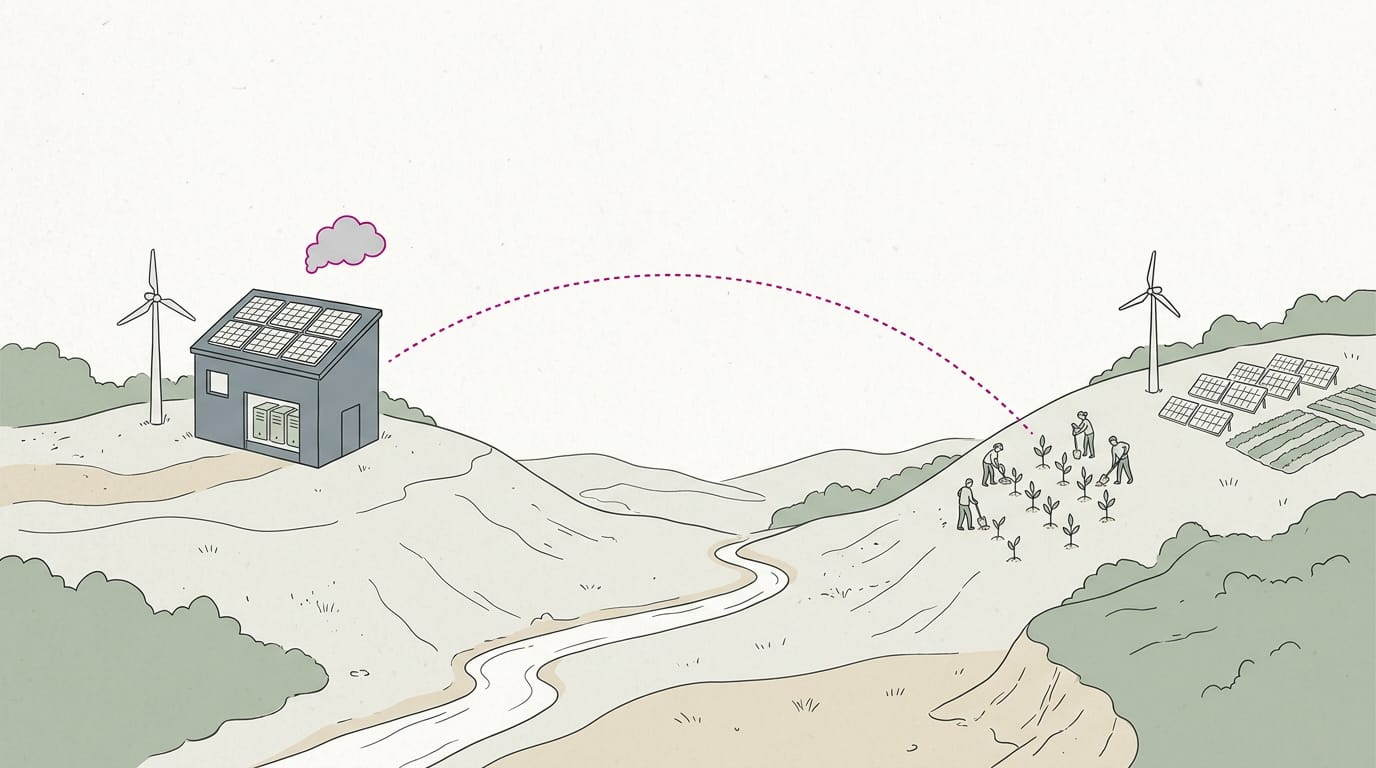
Some emissions can’t be cut. Offsets balance what’s left; they don’t replace the cuts you can make.
- Reforestation and renewables. Offset projects often fund tree planting or renewable energy elsewhere.
- Combine with green hosting. Offsets work best alongside green hosting, not instead of it.
- Offset unavoidable emissions. Start with cuts, then offset only what remains.
Nudging visitors toward greener browsing
Your site can nudge visitors too:
- Share responsible browsing tips. A one-line note, like closing unused tabs, sets a good example.
- Display green certifications. Show a badge only while it’s current, and link to its issuer.
Checking How Much Carbon Your Site Emits
Before you can green your website, you need to know where it stands. You don’t need a technical background, just a few free tools.
Tools that measure your footprint
Start with three free checks:
- Website Carbon Calculator: Enter your web address to estimate the emissions tied to loading a page.
- Google Lighthouse: It’s built into Chrome and audits load speed, flagging what’s slowing your pages down.
- Page speed and energy checks: Lighter pages move less data, and less data generally means less energy. Heavy images and autoplay videos are often the biggest culprits.
Consider a dental office whose homepage opens with a long autoplay video. The speed check flags it right away. Swapping in a short still photo shrinks the page, so the booking button appears on a patient’s phone before they’ve lost patience.
Tracking your progress over time
- Baseline footprint first: Test before you change anything and write the numbers down, because you need to measure your starting point rather than guess at it.
- Regular site check-ups: Rerun the same tests after big changes, like new photos or a redesign, and on a set schedule, such as every few months.
Your next step is to assess your most important page today and fix its biggest problem. Assess, fix, repeat.
Keep your claims honest, too. Greenwashing means calling your site green without the evidence to back it up. Real green claims rest on measurements, not slogans, so publish only the numbers you’ve tested and ask your host what backs up its green label.
Green Design Ideas and Example Sites
Green can make a site feel fresh, but color only helps if visitors act fast. The 3 second rule in web design says people decide within about three seconds whether to stay, so make your offer clear at a glance.
Using green colors well, with good contrast
Lime and deep green backgrounds make a bold first impression, but they need strong contrast, the difference in lightness between text and background. Use a few shades of green, not every shade, and reuse them everywhere for cohesion.
Green accents on a white or cream base keep things calm.
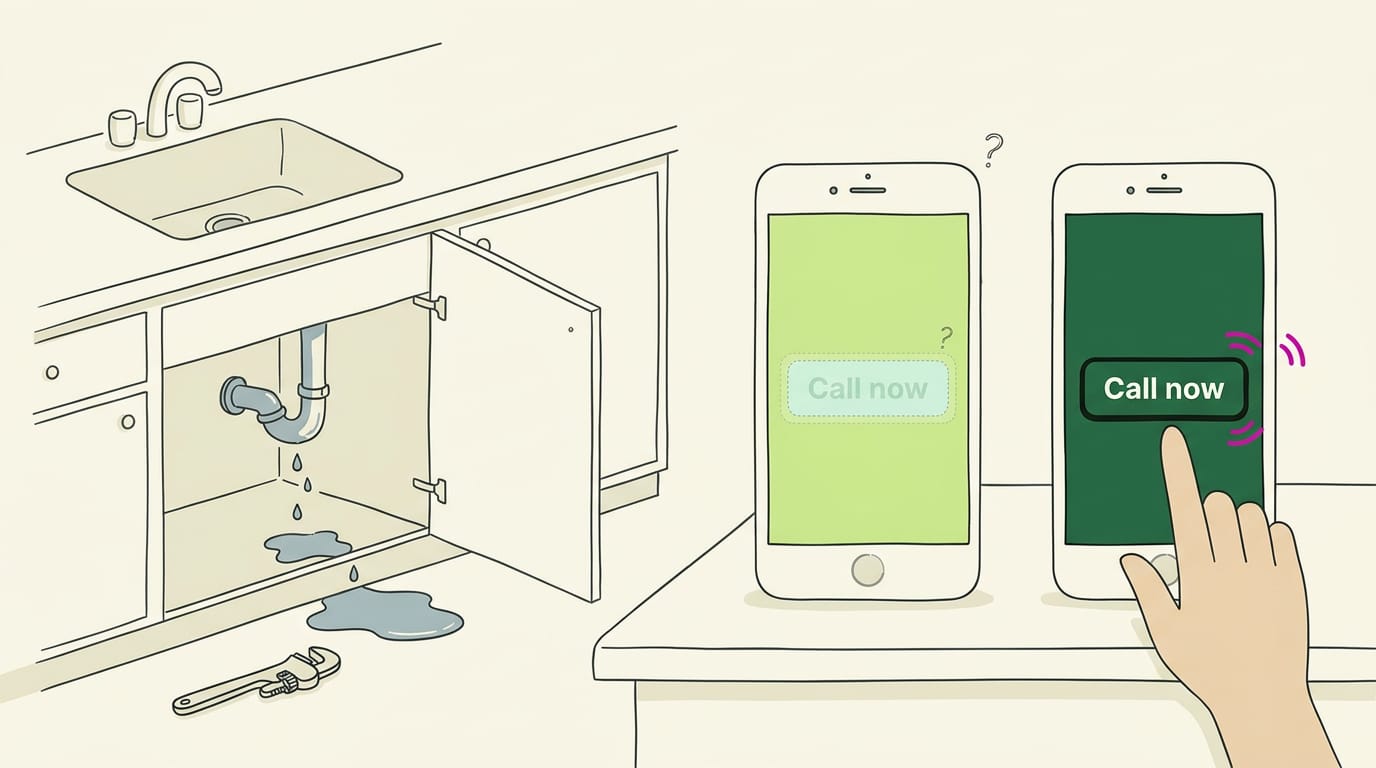
Keep your call button high-contrast. Picture a plumber whose “Call now” button is pale green on a light green banner. A customer with a leak can’t tell it’s tappable and calls the next plumber. That’s the 3 second rule at work.
Telling your brand story through green
Green suits eco-friendly brands because it suggests nature and care. Commit fully, though: a green header with gray buttons sends mixed signals. Color tells your story before anyone reads a word, so match it to what customers experience.
Green can tell the story, but your business has to back it up.
Interactive touches and visual effects
Effects can make a site memorable, but use them to support your message, not replace it:
- Parallax scrolling. Background images move at a different speed than the text as visitors scroll.
- Mouse-hover animations. Buttons react to a mouse pointer, but phones don’t have a mouse, so don’t rely on them alone.
- Custom cursors. A branded pointer replaces the usual arrow. It’s fun for portfolios but confusing for most shops.
- Looping background video. A clip plays on repeat behind your headline. It’s eye-catching, but heavy video can slow phones.
- Unique hamburger menu placement. Moving the three-line menu icon can look fresh, but visitors still need to find it in a second.
- Loading graphics. A spinner or animated logo fills the wait, but a long wait still feels slow.
Fonts, footers, and layout choices
Pick distinctive but readable fonts: one eye-catching headline font and one plain body font. A quirky script charms in a headline but tires readers in a paragraph about your hours.
A footer is the strip along the bottom of every page, so make it comprehensive. Picture a bakery owner whose footer lists the address, Saturday hours, and a tap-to-call number. A customer hunting for a birthday cake at 8 p.m. gets answers without digging.
Add a blog link and a contact button to your homepage. A minimalist layout, with plenty of white space, gets the eye to your number first. Less is usually more.
Sites worth studying for inspiration
Looking through 23 example websites shows these ideas in action. Sort them into three types of websites:
- agency sites
- studio sites
- portfolios
Agency and studio sites are often showpieces, so borrow the layout and skip the fireworks. Eco brands like Ecoist and Wogan show how green carries a brand story, and neutral-background examples show a little green reads well.
A green website comes down to two habits: keeping pages light and clean, and choosing hosting that runs on cleaner power. Both shrink the internet’s footprint, and both make your site faster for the customer who’s waiting on your answer.
The payoff is the one that matters most to you. A fast, simple site is easy to find and easy to act on, so the choices that help the planet also help your phone ring. Simple is green, and simple wins calls.
References
- Assessing the negative impact of the it sector on the environment: a call for sustainable solutions — doi.org (2024)
- Overview of Web Application Performance Optimization Techniques — doi.org (2024)
- New calculator shows exactly how much environmental damage is behind your internet searches — euronews.com (2026)
- Institute of Internet Economics — instituteofinterneteconomics.org (2025)
Questions
What is the green website?
A green website is designed with a clean, lightweight layout that loads quickly and uses less energy, and it is hosted on servers powered by low-carbon energy. Green colors can support the look, but they do not make a site environmentally sustainable on their own.
What is the 3 second rule in web design?
The 3 second rule is the idea that visitors decide within about three seconds whether to stay on a website. Make the offer and next step clear immediately, with fast-loading pages and easy-to-find buttons.
What are three types of websites?
Three types of websites are agency sites, studio sites, and portfolio sites. They often emphasize visual presentation, so useful layouts can be adapted without adding effects that slow the site down.
Sources
- New calculator shows exactly how much environmental damage is behind your internet searches | Euronews, euronews.com,
- Institute of Internet Economics, instituteofinterneteconomics.org,
- Assessing the negative impact of the it sector on the environment: a call for sustainable solutions, doi.org,
- Overview of Web Application Performance Optimization Techniques, doi.org,