With Dynamic Search Ads, What Does the Advertiser Provide?
Dynamic search ads use your website pages and page targets; see when a small budget makes sense after your map listing, reviews, and site basics are ready.

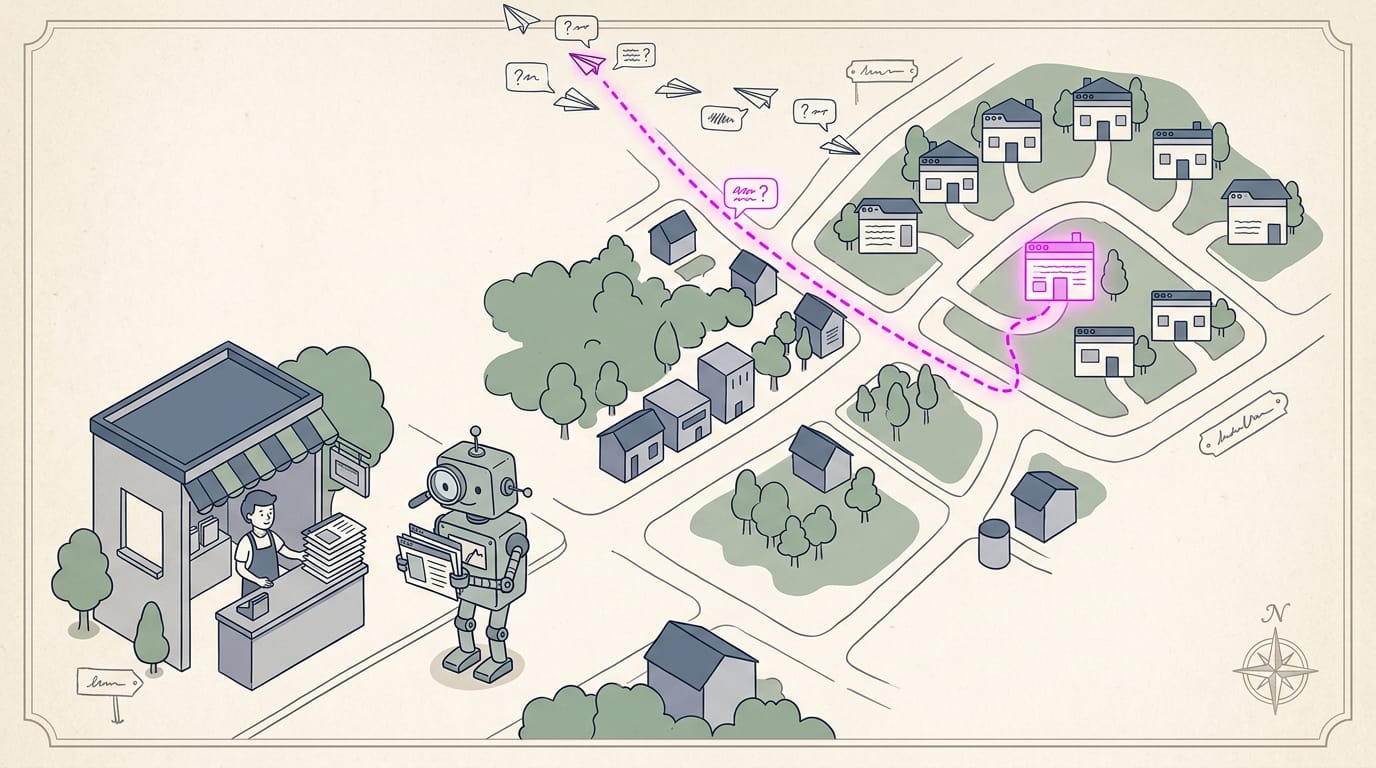
Dynamic search ads are Google Search ads that use your website pages to match searches and generate headlines, instead of relying on a keyword list you create. You provide clear website content, descriptions, page targets and exclusions, extensions, and budget and bidding settings; Google chooses matching searches, headlines, and landing pages. They can find relevant searches you missed, but work best with a substantial, well-organized site and regular checks of search terms and results.
Think of a hardware store where you stock the shelves and set the prices, but a helpful clerk chooses which products to point each customer toward based on what they just asked for. That’s roughly how dynamic search ads work.
Google builds the ads from pages on your website and matches them to searches you may not have planned for.
This post breaks down what you provide, what Google generates, and when a small budget makes sense. The short answer: it pays off once your map listing, reviews, and website basics are already in good shape.
Dynamic Search Ads and What You Provide
With Dynamic Search Ads, Google builds much of the ad from your website. Here’s the split we’ll walk through.
How Google crawls and indexes your pages
Dynamic Search Ads use your website content, not keywords. Google’s crawler reads your pages, a step called crawling, then stores them in an index, a searchable library.
When someone searches, Google matches that query to the best-fitting page, based on what your pages say rather than which keywords you picked. This is the automated search format: you set the boundaries, and Google decides which searches get your ad.
The settings and content you supply
Here’s what you supply:
- Descriptions written by you: your own ad lines, shown alongside Google’s headlines.
- Exclusions and page feeds: exclusions block unwanted pages or searches, and page feeds list the pages you hand over.
- URL rules and targets: rules that send certain searches to the pages you choose.
- Sitelink and other extensions: extra links and details shown with your ad.
- Budget and bidding settings: your daily spending limit and how much you’re willing to pay per click.
In Google Ads, GMB means Google My Business, the older name for Google Business Profile. Linking that profile shows your business details with your ads.
What Google writes for you
Google writes or picks these parts:
- Headlines auto-generated: Google builds them from your page wording.
- Final URL chosen by Google: Google picks which of your pages a searcher lands on.
- Display URL generated: the web address shown in the ad is built from your site.
- HTML title as common signal: the title tag in a page’s HTML (HyperText Markup Language, the code behind web pages) is a clue Google reads about the page.
Your pages are the ad copy now, so clear beats clever.
See how generated ads actually look
A Los Angeles car rental company with an airport pickup page can match a search for “rental car LA.” The headline comes from that page’s wording, not a phrase the owner bid on.
A shoe store with a women’s winter boots page can appear for “women’s winter shoes.” An equipment yard with a spider lift page (a small lift for reaching high spots) can show up when a contractor searches for a spider lift rental.
A small cybersecurity firm with a services page works the same way.
In each case, the owner built one clear page, and Google did the rest.
Benefits and When They Fit Best
Dynamic search ads don’t suit every business, so know where they fit.
Why advertisers choose this format
The main draws:
- Time savings. You don’t need a keyword list for every product or service.
- Fills keyword gaps. It catches searches you never thought to bid on.
- Broader reach and coverage. Ads can show for searches matching your pages, not just exact phrases.
- Keeps up with new content. New pages can start matching searches on their own.
- Keyword discovery. Your search reports reveal the real words customers type.
- Ad and landing page relevance. Headlines and pages come from your site, so searchers land on a match.
Sites where this works well
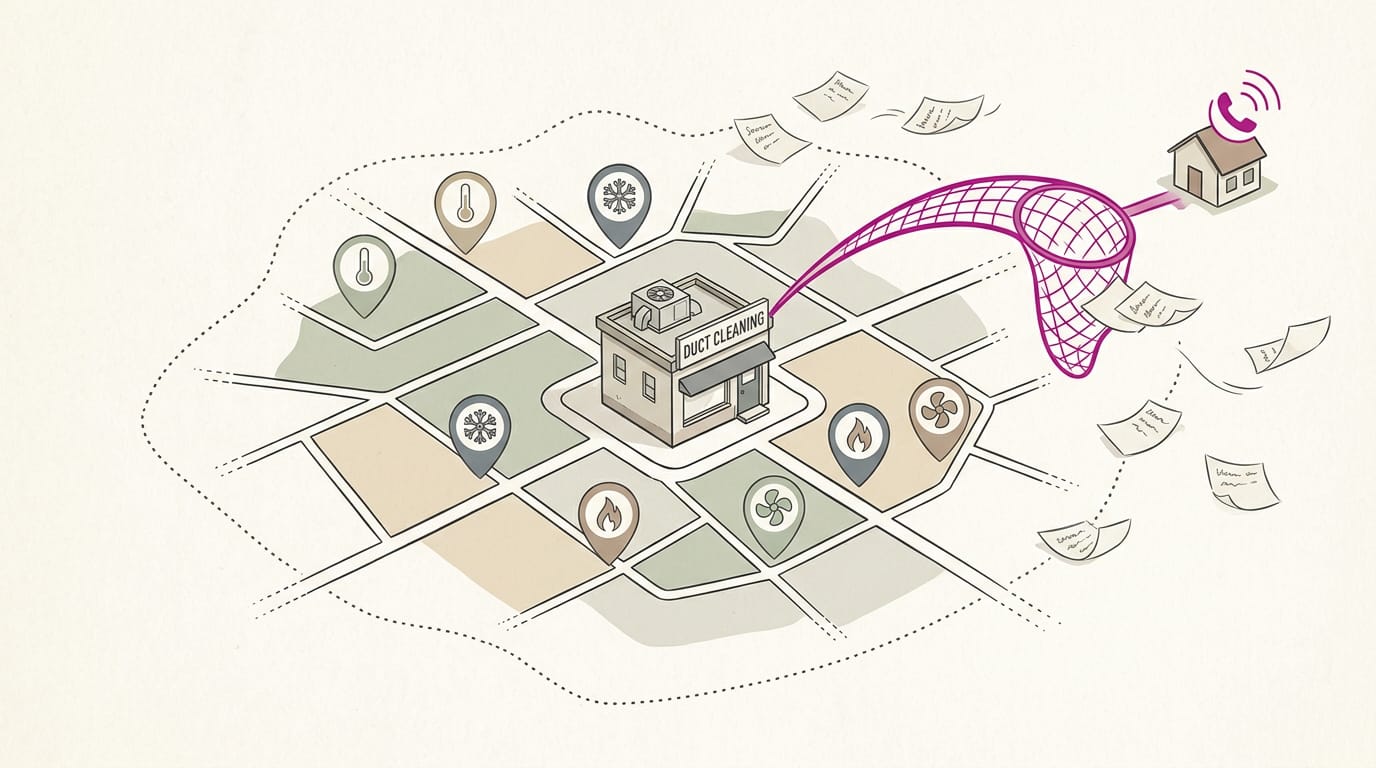
This works best when your site is large, changes often, or has clear, readable pages. Picture a heating and cooling company with its own duct cleaning page. Its ads can catch a duct cleaning search it never bid on: a call it wouldn’t otherwise get.
Seasonal product lines suit it too. It’s a complement to keyword campaigns, not a replacement: keywords cover the searches you know, and dynamic ads pick up the rest.
When dynamic search ads fall short
It can backfire, too:
- Thin content. Pages with a line or two give the ads little to match.
- Login-only content. Pages behind a login can’t be read, so there’s nothing to match.
- Small sites. A handful of pages leaves too few topics to work with.
- Need tight wording control. You’re trading control for coverage, since your site, not a list you wrote, supplies the headlines.
- Small local sites: try keywords first. Start with keyword campaigns you control, then add dynamic ads once your site grows.
So are Google Ads still worth it in 2026? It depends less on the calendar than on your setup. A small budget makes sense once your map listing, reviews, and website basics are working. Ads bring people to your door.
Your listing, reviews, and site do the convincing.
Results advertisers have reported
Trivago has reported lower cost per acquisition (CPA), what you pay for each customer or booking.
Business-to-business (B2B) advertisers have reported a cheaper cost per lead (CPL), and home services businesses such as plumbers have reported gains in leads.
Conversion rate benchmarks, the share of visitors who take an action, vary by industry, so treat them as a rough guide. Your own numbers matter most.
Choosing Which Pages Get Targeted
Dynamic search ads match searches to your pages, so your choices here set what the ad shows. Your options:
- Exact URLs or URL contains: specific pages by web address (URL), or addresses containing a word you pick.
- Categories: groups of pages, such as drain cleaning.
- All webpages: every page on your site. Simple, but hard to control.
- Page title or content: pages whose title or text includes a phrase you choose.
- Custom labels: tags you attach to pages to group them together.
Think of a plumber with a page for each service. Targeting only drain-cleaning pages keeps a late-night clogged-drain search off the About Us page. Pick fewer pages you can stand behind, not every page you have.
Keeping your page feed organized
Your page feed is the list of pages you give Google, with URL and custom label columns. Group it by product or location so a salon with two branches can tell its locations apart. Keep URLs final and clean, and update the feed regularly.
Dynamic page feed automation can build the list for you. Skim it anyway.
Pages and searches to keep out
Exclusions keep your ad aimed at relevant clicks, not more clicks.
- Careers and login pages: exclude them, since job seekers and logins aren’t customers.
- Blogs and out-of-stock pages: block them, since they rarely lead to a booking.
- Negative dynamic ad targets: the pages or categories you tell the ad to skip.
- Negative keywords: search words that block your ad, like “free” for a dentist with no free checkups.
- Pages outside your service area: exclude them so far-off searches don’t become calls you can’t take.
Building the Campaign Step by Step
Setup comes down to a few clear choices. Here’s the order, plus how to set bids and keep the new campaign from competing with your keyword campaigns.
Steps to set up your campaign
- Choose the Search campaign type. Dynamic search ads run inside Search campaigns.
- Enter your website domain. Google reads your pages to match searches and write headlines.
- Set goals and bidding. Name the result you want, such as calls or bookings.
- Write descriptions and extensions. You write the descriptions, and extensions add details like your phone number.
- Add a dynamic ad group to an existing campaign. An ad group is a set of ads and their bids inside a campaign.
- Use Google Ads Editor for bulk setup. It’s a desktop app for making many changes at once.

How to set your bids
Set your bids at the ad group level. Smart Bidding is Google’s automated bidding system, and it’s our recommendation. If you’re launching a brand-new campaign, start with Manual CPC (cost per click, the price you set for each click).
A bakery owner might set a modest price and pay for calls she can see, not guesses. Smart Bidding can come later.
Avoiding overlap with keyword campaigns
- Catch-all campaign. Let dynamic ads catch searches your keywords miss.
- Dynamic ad groups in existing campaigns. Keep them in campaigns you already run.
- Negate existing keywords. Add those keywords as negative keywords, so matching searches skip the dynamic ads.
- Ad Rank decides overlap. Ad Rank is Google’s score for each ad, and the higher score wins when two of yours compete.
- Exact match tends to take priority. An exact-match keyword, which closely mirrors the search’s wording, tends to win out.
Improving and Tracking Results over Time
Launching is the easy part. The gains come from weekly checks and counting the right results.
Review your search terms weekly
Once a week, check the search terms report to see what people actually typed. Then act:
- Add negatives. A negative keyword keeps your ad off a phrase. A plumber whose report shows “plumbing jobs hiring” blocks that phrase and saves budget for homeowners with a leak.
- Move winners to keyword campaigns. When a search brings in a booking, add it to a keyword campaign, where you choose the wording.
Why page quality affects results
- Optimized page titles. Name your service and town so the title matches what the searcher typed.
- Clean code and Core Web Vitals. Core Web Vitals are Google’s measures of how fast and steady a page loads. Clean code helps your page measure up.
- Structured data. It’s extra code that labels your hours, address, and services so search engines read them clearly.
- Landing page speed. Someone on a phone needs the page to load fast, not just look polished.
Consider a salon owner whose slow page loses the customer who tapped her balayage ad to the next salon in the results.
Testing and measuring what matters
- Conversion tracking. Set it up before you spend so every booking and call gets counted.
- A/B tests with Experiments. Use Experiments in Google Ads to run an A/B test, which compares two versions side by side.
- Review target performance. Check results against your target regularly.
- Record baseline results. Write down your starting numbers, your baseline, before changing anything, so you have something to compare.
- Track calls and bookings, not clicks. A click shows someone looked, but a call or booking shows someone acted. Clicks don’t pay the bills.
How It Compares to Other Ad Types
Google Ads offers several campaign types, and rather than list all eight here, we’ll focus on the three you’ll most often weigh against dynamic search ads (DSA): responsive search ads, AI Max, and Performance Max.
How it stacks against responsive search ads
The biggest difference is what each one matches on. Responsive search ads (RSA) use the keywords you pick, while DSA reads your website content.
| Comparison | Dynamic search ads | Responsive search ads |
|---|---|---|
| Matches searches using | Your website content | Keywords you pick |
| Headlines | Generated from your pages | Written by you |
| Trade-off | Broad reach | Tight control |
| What it is | A campaign type | An ad format inside a campaign |
You write the RSA headlines, while DSA generates its own from your pages. RSA gives you control over the wording, and DSA trades some of that for reach into searches you never listed.
The main advantage of responsive search ads is that you choose the words while Google handles the combinations.
The two work well together. Think of a plumber whose site has a page on water heater repair but whose keyword list never mentions it.
Responsive search ads cover the terms on that list, and a dynamic ad can catch that water heater search, a call the plumber would otherwise miss. Wider net, same plan.

Comparing with AI Max and Performance Max
The real question is where you want to be found:
- AI Max is an expansion layer that extends your search campaigns.
- Performance Max (PMax) spans all of Google’s channels, not just search.
- DSA runs only on the search network, so it doesn’t reach other channels.
Think of a salon owner who only wants calls from people typing a search. Search-only keeps her budget on people already typing what she offers.
Downsides and Risks to Weigh
Dynamic search ads hand Google more decisions, and that trade has a price. Know where the risks show up before you commit.
Where you lose control and relevance
With these ads, you control how much you spend, but Google decides which searches trigger your ad. Picture a dental office that offers cleanings and whitening.
A search for ‘free dental clinic’ can still match its pages, and those clicks rarely turn into booked chairs.
Some searches are off-target, and others are low-intent, meaning the person is just browsing and isn’t ready to book. The headlines are also built from your site, so they can read awkwardly or promise something you don’t offer.
Your ads are only as strong as your website content.
Generated text can pull phrasing you’d never approve for your brand, and it still has to meet advertising rules. Review the ads often rather than setting them and forgetting them.
Costs and the extra work involved
Higher ad costs are possible because you’re bidding on a wide range of searches, and some of the pricier ones bring little value. Optimizing is harder too, since you can’t simply tweak a keyword you chose yourself.
You have to review which searches triggered your ad and act on what you find.
The biggest job is negative keywords, the words or phrases you tell Google never to match. A plumber might exclude:
- ‘free’
- ‘DIY’
- ‘jobs hiring’
so the budget stays with people who need a paid repair. Skip this step and your budget leaks away on the wrong calls. Exclusions aren’t optional.
Google’s Move to AI Max
If you run Dynamic Search Ads (DSAs), the Google Ads format that uses your website to pick searches, you’ll want to know what’s changing and when.
When the switch to AI Max happens
Google is moving existing DSAs into AI Max, its artificial intelligence (AI) setup.
In a Google blog post, Google said it’s extending the timeline “to protect your business results and the performance of your campaigns,” with the automatic upgrade now starting in February 2027.
The original date was September 2026. The delay gives you more room, but it changes when the switch happens, not whether it does. You have time, so use it.
Think of a plumbing company whose DSA quietly brings in emergency calls. The owner doesn’t need to panic, but the campaign will be auto-upgraded, so she’d rather review it now than be surprised later.
Getting campaigns ready before the switch
Here’s how to prepare:
- Audit existing campaigns. Pull up each DSA and note what it brings in:
- calls
- bookings
Knowing what works now gives you a baseline to measure against.
- Test AI Max on one campaign. Start with a single campaign, not your whole account, so any problem stays small and easy to fix.
- Don’t disable DSAs prematurely. Keep your current campaigns running until the test gives you real results. Turning them off early leaves you nothing to compare against.
- Compare with keyword Search. Keyword Search campaigns are the ones where you choose the search terms yourself. Put the results side by side to see which one brings more calls for the same spend.
The split is simple once you see it. You bring the website, the pages worth showing, the budget, and the limits. Google brings the headlines and the search matching.
For most local owners, that trade only makes sense after the basics are working. Get your map listing, reviews, and website in shape first, then add a small budget when you’re ready to test it.
Get the foundation right first, and let a small budget finish the job.
References
- Google’s Dynamic Search Ads are upgrading to AI Max — blog.google (2026)
Questions
What is the main advantage of using responsive search ads?
The main advantage of responsive search ads is control over the wording: you provide the headlines and descriptions, and Google tests different combinations. They match searches using the keywords you choose, while Google handles assembling the ad.
What is gmb in Google Ads?
GMB stands for Google My Business, the former name for Google Business Profile. Linking a profile to Google Ads can show your business details with your ads.
What are dynamic search ads?
Dynamic Search Ads are Search ads that use your website’s content to match relevant searches and generate headlines. Google selects a suitable page for the search, while you provide descriptions, targeting limits, and budget settings.
What are DSA ads?
DSA ads are Dynamic Search Ads. They use your website pages rather than a keyword list to match searches and generate ad headlines.
What are the 8 types of Google Ads?
The eight common Google Ads campaign types are Search, Display, Shopping, Video, App, Performance Max, Demand Gen, and Local. The types available and their names can change as Google updates its advertising products.
Which platform is mainly used for search ads?
Google Search is the main platform for search ads. Advertisers create them through Google Ads, and they can appear on Google search results when people search for relevant terms.
What does dynamic search mean?
Dynamic search means automatically matching a user's search with relevant website content rather than relying only on keywords selected by an advertiser. In Google Ads, Dynamic Search Ads use that matching to choose a landing page and generate a headline.
Are Google Ads still worth it in 2026?
Google Ads can still be worth it in 2026 if your business has a clear website, a strong business listing, and good reviews, and you can measure calls or bookings. Start with a budget you can afford to test, review results, and focus on conversions rather than clicks.
Sources
- Google’s Dynamic Search Ads are upgrading to AI Max, blog.google,